Showing posts with label Mystery Skype. Show all posts

Sunday, July 23, 2017

#mysteryskype prep activities

Students generally have a difficult time conceptualizing how the U.S. is divided into states (let alone where those states actually are) and how states are divided into counties. Playing Mystery Skype can be daunting for students who are unfamiliar with U.S. geography. Concepts such as regions, compass directions, and states physical relationships can sometimes confuse them.

I found it necessary to do a few activities to help my students become familiar with state names and locations. In Nevada U.S. geography is covered in 5th grade so I wasn't too concerned about them memorizing states and capitals, but I did want them to be familiar with state names and how to locate those states on a map. I used the following activities within the first few weeks, hopefully before our first Mystery Skype.

States and Capitals Interactive Notebook (free)

I love using interactive notebook so when I saw this idea I immediately wanted it. Unfortunately the blog author never responded to my request so I ended up creating my own. I found the perfect region maps on this teacher's website. Students use the foldable to identify the state and record the name, abbreviation, and capital. You can download the file here. Directions for cutting out and gluing into the notebook are on the first page.


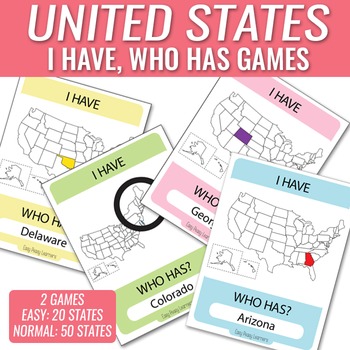
I Have, Who Has States Game ($3)

This is an easy to prepare game that helps students easily recognize the states and their shapes. My students loved it and asked to play it several times. Distribute state cards to each student and pick a student to start. That student reads the Who has (Arizona)? question at the bottom of the card. The student holding the card depicting Arizona stands up and asks their question. Play continues until all states have been played. This resource can be purchased from Teachers Pay Teachers.


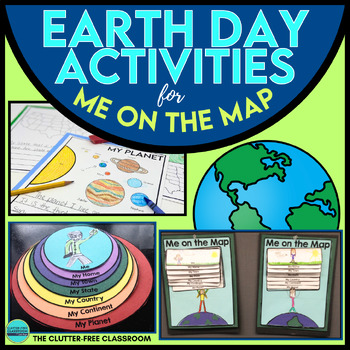
Me On The Map ($6)

I found that my students had a hard time with the perspective of where our state is in relation to the rest of the nation and the world. This resource helped to bring terms like city, county, and state into perspective. The original was very generic and didn't have pictures of our state or our counties and city. So I provided my students with this file of maps specific to Nevada that they added to the respective sheet. The update resource can be purchased from Teachers Pay Teachers.


State Name Word Search (free)

This is a very DOK Level 1 activity, but I felt my students needed to become familiar with the state names in some way. So I used the worksheet generator at A to Z Teacher Stuff to create these word search worksheets. I let the students work in pairs to find all the states. You can download 3 different versions here, here, and here.


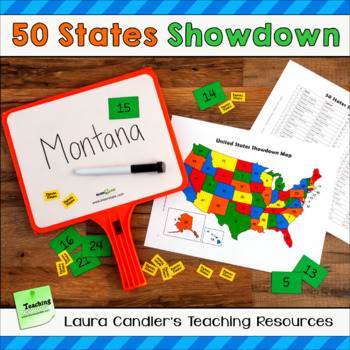
Find the States Showdown Game ($3.50)

I love everything Laura Candler does and this game was no exception. From her TpT store:
Find the States Showdown is a game for reviewing state names and locations, and it can also be used for reviewing state capitals and abbreviations. Students can play the game with the states in a single region, or play a challenge game with all 50 states. Find the States Showdown can be played as a whole class, or students can play it within cooperative learning teams.
You can purchase this resource from her Teachers Pay Teachers store.


These were the resources I used this year to prepare my students for Mystery Skype. What activities do you use with your classroom?

Read More »

Saturday, July 22, 2017

#mysteryskype interactive maps with mapchart.net

One of the necessary tasks when doing Mystery Skypes is to track which states your class hooks up with. In my classroom I put up a poster size map of the United States and strung little papers to each state we had Skyped with. Students referred to it often to determine what states we might still be Skyping with.

The problem with the poster was that it took time to update and could only be seen while in the classroom. Parents couldn't see it and neither could my admins. I looked for a few different digital solutions so I could post the same info on our class website. I finally came across mapchart.net, which turned out to be an easy-to-use solution and very useful for many other applications as well.

Mapchart.net is a mapping creation website. Its free and very simple. The user selects a map, color codes it, then exports the map as a jpg file that can be used anywhere. Map data can be saved and modified later.

The steps I outline here are the ones I used to create my Mystery Skype map, but the steps are the same for any map you want to create.

First click the United States drop down menu and select States.
The 3 easy steps to create a map are on the left side of the screen (or the bottom if it's a very wide map). Start with Step 1 and choose a Fill color. I selected only green because I only wanted to show one level of coloring (the states we Skyped with). If I were to compare different areas, regions of the United States for example, I would need to select multiple colors. There are other options to choose as well.
In Step 2 type a label for each color that appears on the map. Since I didn't want the user to be confused with the default color I added a label even though I was only using one color.
Step 3 is for downloading the map and saving it for later use. To download a jpg file click on Convert to Image and then Download. It saves a jpg you can use anywhere - class website, in Twitter, email, etc.
To save the map data to update later click on Save-Upload Map Configuration. On the next screen click the Save Map Configuration button and the map data is saved as a simple text file.
 
After the next Mystery Skype its time to update the map. Open the text file you downloaded earlier, copy all of the text, and paste into the bottom half of the screen shown above. Your earlier map configuration will appear and you can add the additional states or make whatever edits you need.

As you can see, this is an easy-to-use solution for tracking your connected states. I always sent out this updated map to the parents so they could be reminded of the friends we made during our Mystery Skype sessions. What methods do you use in your class?


Read More »

#mysteryskype recording book

Last school year I made it my goal to have my 4th graders Mystery Skype with all 50 states. We first Mystery Skyped the second week of school. Our last Mystery Skype was the second to last week of school. Unfortunately time and curriculum got in the way and we were not able to reach all 50. We did Skype with 21 different states and a few states multiple times. Here's a map of the states we made friends with.
We Mystery Skyped with all states in green.

Besides not Skyping with all 50 states, my only regret was not having the students research a little about each state after we met them. In Nevada the 4th grade social studies curriculum focuses on Nevada while the 5th grade studies the United States. Because of that I wasn't too concerned about it during the year, but in hind sight I think it would have helped students gain a national perspective by doing some simple research.

With that thought in mind I've created a template students can use to record basic state information. I created it in two different formats, depending on the resources available in your classroom. In both formats I created a cover page, a page with instructions for the students, and a template page that can be copied for each state.

In my class we had 1:1 iPads with Book Creator installed. The students absolutely loved using Book Creator and used any free time to create books. This would be a natural fit for them. The video shows what the 3 pages in my Book Creator template look like. You can download the ePub file used by Book Creator here. The elements on the template page are locked so students can't move/delete them. They can still double-tap inside the text box to change the text.


Since a lot of schools are using Google Apps for Education I decided to create this resource in Google Slides format as well. Slides doesn't have a way to lock elements, so students just need to be careful when clicking on elements so they don't accidentally move or delete them. The format is pretty much the same as the Book Creator one. You can make a copy of this template here.


If you use Google Classroom either format is super easy to distribute to your students. You can either attach the Book Creator ePub file which students would then save to their iPad in Book Creator. Or give them the URL to the Google Slides template and they'll be prompted to create their own copy.

Both templates are fully editable so you can change what information you want your students to collect. Whenever we did a Mystery Skype we asked the other class questions and my students always gravitated toward questions like:
  • name of the town
  • name of the school
  • school mascot
  • how many students in the class
My students also like to keep track of who guessed first. All of these might be fun to keep track of, although they aren't specific state information.

Let me know what you think of this resource or share ideas you use in your classroom.

Read More »

Friday, August 5, 2016

My technology integration goals for a new school year


iPad and school supplies
This school year I will be transitioning into a 4th grade classroom after about 15 years as a digital coach. Prior to my work as a digital coach I taught 4th grade for eight years. Over the course of my travels from school to school as a digital coach, I've met a lot of awesome teachers doing a lot of awesome things with their students. I've worked with many of them and explored many digital tools. Now I'm ready for my own classroom!

I'll be team teaching with a reading coach who will focus on ELA. I will teach math, science, and social studies for the other half of the day. Naturally I've done a lot of reflecting this summer on what I want to do with my students. I've thought long and hard about how I envision using technology as a tools to help my students. I've come up with this list that I don't feel I can compromise on. None of these digital tools or opportunities was available when I was in the classroom before, so I look forward to seeing what my students and I can accomplish with them.

Mystery Skype - I'm so excited to have my own class this year where I can do as many Mystery Skypes as I want! My goal is to Skype with all 50 states.

Global Learning - I've signed up to participate in Adventure16 and I want to investigate projects at Digital Explorer to find something for my students to participate in. I realize our social studies focus in 4th grade is Nevada, but I strongly feel that students should become global citizens as well. My goal is to find a global project we can team up with someone to work on and then find something local as well.

Interactive Notebooks - I'll be using Interactive Math Notebooks, but I want to explore adding a digital component with the goal of being a full digital interactive notebook next school year. Ideas I have are to use augmented reality with the printed version (links to demonstration videos, digital manipulatives and tools, etc) and explore something like Google Slides for full on digital notebooks next year.

iPad tools - I know I'll have at least 7-8 iPads in my room, but I hope to have a complete cart. Regardless, a few apps I want to have students use are Book Creator to create math books either as a digital portfolio or skill/unit based evidence of their learning. Explain Everything would be the perfect companion app for this project.

GAFE - students have full access to Google Apps for Education, so we'll be taking full advantage of those tools, including Google Classroom.

Blogging - I'm a strong believer in blogging so my students will definitely be using blogging as a way to reflect on their learning. I'll continue this blog with a focus on digital tools I discover and how we are using them in our class. Our class website will also have a blog as the home page to keep parents informed of our work.

Remind - speaking of keeping parents informed, I also plan on using Remind on a regular basis. I was on the parent end of it this summer with a non-school related event my kids were involved in and I absolutely loved it!

Websites - there are several websites that will be woven into our class work: XtraMath for math fact mastery, explore typing.com to increase keyboarding skills, GoNoodle for those important brain breaks, and EdPuzzle to hold them accountable for videos we see.

Plickers - our school has CPS Responders but I don't really like them. I'm going to use Plickers instead, which I think will give me a lot more flexibility and power with my formative assessments.

Presentation tools - I am big on teaching students proper presentation skills and giving them a variety of tools to demonstrate their learning. I also can't stand PowerPoints, so instead we'll learn how to use powerful tools like ThingLink, Haiku Deck, and Adobe Spark.

Video making - I will have a green screen station set up in the corner for students to create videos to demonstrate knowledge and learning. I'll have Do Ink's Greenscreen to integrate with the other video and picture apps.

Augmented Reality - I mentioned using AR with interactive notebooks, but I really want to explore using AR in a variety of other scenarios as well. I'll need to explore a few apps and see real case uses in the classroom.

Whew! Now that I look back at that list I see a lot of fun this year! I don't think I've bitten off too much, because a lot of this will integrate well with our curriculum. I always love to see real use examples from other classrooms. Please share your ideas and tech integration goals with me in the comments below!
Read More »

Thursday, January 21, 2016

#Mysteryskype without a Skype account


I think that finding classrooms to play Mystery Skype with is an easy task. I usually find mine on Twitter. After making that initial connection and scheduling a time, we still have to connect via Skype. That requires sharing Skype usernames, which then litters my Skype contacts with users that I don't regularly communicate with.

Jonathan Wylie posted a great tip for connecting via Skype without both teachers having an account or even installing the software. Check out his blog post How to Skype Anyone With Just a Link.
Read More »

#MysterySkype resources

The more #mysteryskypes I've done, the more I realize that there are certain resources I need to use in order to make it successful. There is only so much organization that can be done, because in the heat of the moment students get excited and of course the activity changes depending on the location of the other class. Despite the sometimes chaotic nature of it, there are still several resources that can be used to help it flow smoothly.

With the help of other awesome teachers in my PLN I've gathered a few resources that I think should be in every teacher's #mysteryskype toolbox. All of those resources can be found here. They were freely given to me to modify and I freely pass them on to anyone else to use. I'm sorry I can't give credit to everyone that shared with me - I neglected to make note at the time.

Maps - includes maps of all the continents showing country borders. Since most of my Mystery Skypes are in the U.S., there's also a U.S. states map. If you use a better map than the one I have, please post a link for it in the comments.

Debriefing and Reflecting - this has forms students can use to self evaluate and reflect on their performance as a team member during the Mystery Skype.

Mystery Skype Jobs - since each student should have a job to do during the Skype session here are forms with suggested jobs, plus an application students can use to suggest what job they'd like to do.

Miscellaneous - there are also some miscellaneous forms to help you plan your first Mystery Skype, such as a checklist, sample questions, and signs to hold up.
Read More »

Thursday, November 19, 2015

#MysterySkype Dealing with Time Zones


A middle school social studies teacher I was working with expressed interest in doing a Mystery Skype with another class in Europe. I was all for it until I remembered the time zone difference. Not to be deterred, I looked around for resources to help me figure out what time zone countries in Europe are in. Here are two that I like to use.


World Time Zone

World Time Zone is an interactive map that shows the current time in each time zone across the world. The map shows the current time in each time zone at the time I land on the page. I can then quickly see if it's feasible to do a Mystery Skype.


Time Zone Converter

Time Zone Converter is a resource I use frequently to convert my time to my connecting class's time. I simply plug in the day and time we want to do our Mystery Skype, search for the city of the other class, and click Convert Time. It then shows me the time in both time zones.


Flexibility


Being flexible is also key. Sometimes teachers have a class period that is better behaved or more likely to succeed at playing Mystery Skype. However, with managing the times of two different classes in two different time zones, that class might not be the best fit. Teachers need to be flexible and use whatever class is available at a time that works.

Time zones is an important aspect of Mystery Skypes. Messing that up that little detail can make or break a successful connection!

How do you figure out time zone compatibility? More importantly, how do you Skype with classrooms that are half way around the world? I have a teacher that wants to Skype with a class in Europe!

Read More »

Monday, April 27, 2015

Where in the world IS Carmen Sandiego: A Mystery Skype Presentation

Saturday I presented at the Clark County School District's 21st Century Skills Mini Conference at Sawyer MS. My session was on Mystery Skype, which has easily become one of my favorite learning activities. I have worked with several classrooms this year to connect them with other classes across the U.S.

In addition to this presentation, I created a series of posts with Mystery Skype resources. My presentation is embedded below, but fortunately/unfortunately I wasn't able to give it!


Instead, I decided that during our session it would be fun to have the teachers experience a real #MysterySkype to see how they are actually done. I reached out on Twitter and the totally awesome Yau-Jau Ku, who teaches in Venezuela, responded.

After the teachers arrived for my session I explained the idea of Mystery Skype in 2 minutes or less, assigned jobs to everyone, and got them all in to position. We then jumped right in with Mr. Ku and started asking questions.

After doing Mystery Skypes with 5th grade classes this year, it was hilarious to watch these teachers get just as excited! I have never seen a group cheer so loud when we finally were able to guess that Mr. Ku lives in Venezuela.

Unfortunately for us, he guessed our city before we could guess his. We actually ran out of time, because I still had some of my presentation to give! So we had to stop and let him tell us his city. I think we have some new Mystery Skypers now!


Read More »

Wednesday, April 15, 2015

#MysterySkype reflections

One of the hidden benefits of #mysteryskypes is having students work collaboratively to solve a problem. Students are researching, listening, and synthesizing information to try and reach the common goal of guessing the other class. An important part of working as a group is for each member to reflect on his/her contributions to the group.

In her blog post Assessment of Learning via Skype, Silvia Tolisanio points out that the experience is not about the tool (Skype), it's about the student learning. Because of the nature of a Mystery Skype call (the location is unknown), it's difficult to do pre-activities such as a KWL chart. But you can still prepare students be building geography skills and vocabulary, using Google Maps or Google Earth, and working with atlases and other maps.

Learning can also continue after the call by having students reflect on what they learned and how they performed as part of the group.  

Here are a few forms that can be used to reflect on the experience and their job. 

Self-Reflection: Taking Part in a Group - this one was created by the folks at Read, Write, Think.

Mystery Skype Reflection Form - this was created by a teacher and shared with me last year. I've forgotten who the original author was.

Assessment of Learning via Skype - Silvia Rosenthal Tolisano created this series of forms from her blog cited above that can be used by students before and after the Skype call.

Of course using blogs with your students is another great way to have them reflect on their whole Mystery Skype experience. It's great to have a class blog to share what happened, but also give students their voice and ask them to share individually about the whole experience.

How else do you gather feedback from students?

Read More »

Tuesday, April 14, 2015

Questions to ask during a #MysterySkype

Probably the hardest part about a Mystery Skype is having the students become critical thinkers. They have to think logically and have to know whether a question is a good one or not. The conversation can be fast and furious and if students aren't paying attention or thinking logically and critically, they might repeat questions or ask ones that aren't helpful at all.

If you are doing your first #mysteryskype, it's helpful to practice with your students prior to the actual call, especially if you are working with younger students. A good way to practice is to simply pick a state in your mind and have your students ask questions to guess which one.

Pernille Ripp, a fantastic teacher that first got me interested in Mystery Skyping, has a great list of questions to help you get started. I'm reproducing her list here.

For the USA
  • Are you in North America?
  • Are you in the United States?
  • Are you east of the Mississippi?
Depending on the answer to that, you can go in different directions:
If east of Mississippi:
  • Are you one of the original 13 colonies?
  • Do you border a Great Lake?
  • Do you border an ocean?
  • Do the Appalachians run through your state?
  • Do you border Canada?
  • Are you Northeast/Midwest/Southeast region?
  • Do you border the Gulf of Mexico?
If west of the Mississippi:
  • Are you in the West/Southwest region?
  • Do you border the Pacific?
  • Do the Rocky Mountains run through your state?
  • Do you border Canada?
  • Is your state landlocked?
  • Are you one of the contiguous states?
For Canada:
  • Are you in North America?
  • Are you in Canada?
  • Do you border a ocean?
  • Do you border Alaska?
  • Do you border the Hudson Bay?
  • Are you landlocked?
  • Does your province have a NHL team?
  • Do you border the United States?
  • Do the Rocky Mountains touch your province?
  • Are you north of British Columbia?


Remember that these are only suggestions to help the students get ideas. Your questions will totally depend on where the other class is and what kinds of clues you have. I would avoid vague questions such as Does it snow where you live? or Do you live in the north? Don't let the students start guessing state names too quickly. It is probably easier to ask more questions to narrow down the choices to only two or three states.


Read More »

Monday, April 13, 2015

#MysterySkype jobs

In order to make your #mysteryskype successful, it's important to have everyone involved. This means that each of your students needs a job to do. If you've ever watched a #mysteryskype in action, you'll actually see a lot of work going on in the room. And that's because there's a lot that needs to be done, from researching locations, to asking questions, to recording information.

What jobs you have your students do depends on your grade level and how many students are in your class. There's lots of variations on #mysteryskype and many teachers do things slightly different. You need to look at your class and decide what's right for you. Here is a suggested list of jobs.


  • Greeters: Introduce your class to the guest class and goes over the rules. Once done greeting, they help where needed during Skype call. They could also be the ones to close the Skype call.
  • Questioners: They are the ones to ask the yes or no questions and are the voice of the class. They could also be the ones that answer the questions from the other class.
  • Answerers: If you have a lot of students you can designate a few to take turns answering the questions from the other class. They should know their state facts pretty well.
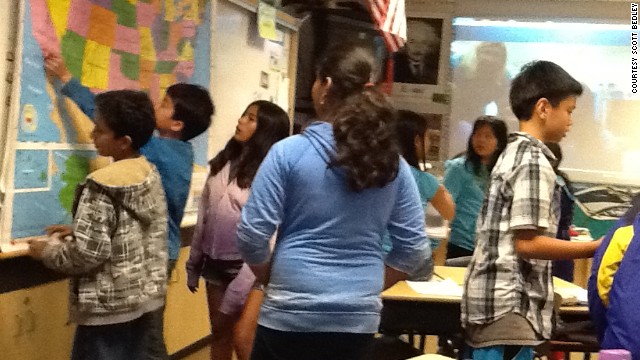
  • Mappers: Using clues that are given, this group will narrow down the location of the other class.  This group could be broken down into even smaller groups if needed. For example, some could be working with atlases, while others are using Google maps.
  • Logical ReasonersWork closely with mappers.  This group will come up with questions to ask other class based on questions that have been answered.
  • Runners: Run from group to group relaying information, primarily taking questions to the Questioners to ask the guest class.
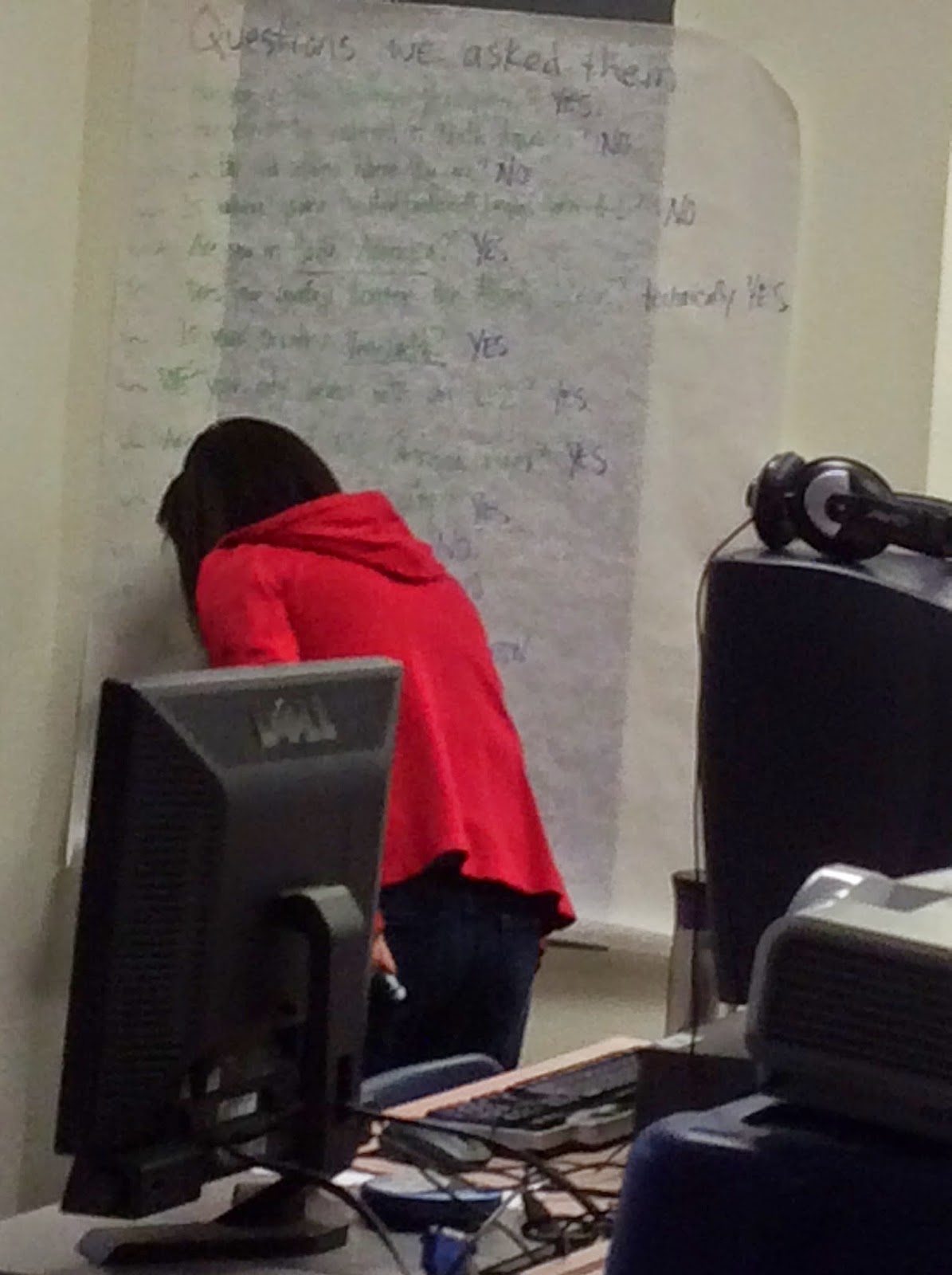
  • Question keepers: Record questions and answers from both classes. This can be done on butcher paper mounted on the wall or through a Google Doc.
  • Blogger: Takes notes and writes about the experience on the class blog.
  • Photographer: Takes pictures during the event to post on the class blog.

After doing a few #mysteryskypes with your class, it might be helpful to ask them what jobs they think they should have. They probably like to try different jobs, as well as have suggestions for job.

Some teachers like to switch jobs on a regular basis. Others like to have students apply for and keep the same job. Here is a job application developed by another teacher.

Read More »

Thursday, April 9, 2015

Finding #MysterySkype Connections


Now that you are interested in #MysterySkype, you might be wondering: Where do you find the classes to connect with? There are three simple ways that will get you a ton of connections to work with.


Skype in the Classroom Website

The official Skype in the Classroom website is a great place to start making connections. To start you'll need to login with your Skype ID or Microsoft ID. Next click on the Mystery Skype link at the top of the page.

On the next page you'll see two ways to find teachers who want to Mystery Skype. On the left side are some menus where you can filter by subject, age, or region. You can also see the contact information for those classroom teachers. If you choose United States as the country you will also be able to choose a specific state. Many teachers try to do a Mystery Skype with all 50 states and use this option to find classrooms in the states they still need.


Once you find a teacher you want to work with, click on their name and you'll be taken to their profile page. You can see a short bio, Skype lessons they are involved in, and contact information.

The other option is to use the interactive map. Click the blue Search the Map button, just above the first section. With the interactive map you can zoom in and out on any region/country/state. The closer you zoom in on a location the more teachers you'll find in that area that use Skype. Click on any teacher to be taken to their profile page.


While you are on the website be sure to check out the other awesome resources. Click on the Find a Lesson link and you'll see lessons from authors, scientists, and other experts. Your class can participate in and connect with any one of these global classroom projects. These are great resources to help your students have amazing learning experiences.

Twitter

If you are a Twitter user (and you should be) there is a vibrant and active community of teachers using the #mysteryskype hashtag. Tweet out your connection requests including this hashtag and be sure to include vital information such as the age/grade level of your students. You can even request connections from specific states or countries.

I have a column for the #mysteryskype hashtag in TweetDeck that I use to keep up on all things #mysteryskype. Teachers and classes use the hashtag not only for requests, but to share successes and ideas. Following the hashtag will introduce you to a lot of other teachers doing the same thing as you!

Lists

Several teachers maintain lists of teachers and classes that do Mystery Skypes. I've bookmarked these lists and no longer remember where they originated. If you are the owner of these lists, please let me know so I can give you proper credit!

Mystery Skype List - this one has almost 300 teachers listed from all over the US and Canada.

Mystery Location Sign Up - this list has names of classes from all around the world, sorted by time zone to make it easy for you.

Mystery State/Country - this list of over 500 names goes back to 2011! It was started and is maintained by Caren MacConnell.

Don't forget the Time Zone!

I always get excited when I make a connection with another state that we haven't Skyped with. The farther away the better, because I don't know if students will ever be able to visit those states. But I kept forgetting about the time zone! Sometimes it works out, other times we can't connect because we're not in school yet, or they get out too soon, etc. Plus with Daylight Saving Time I'm never sure what the time difference is.

A valuable resource that I've found is the Time Zone Converter. To use this simple tool, you select your city and the other state. You can search for them if you need to. Then click the green Convert time button and you'll see what time it is for you and what time it is for them. This is a great visual for me to make sure we can connect!


Just do it!

It may be kind of intimidating to connect with another teacher and invite them into your classroom. How will your students behave? What will the other teacher think? Will your students ask the right questions? Are they (or you) fully prepared?

Don't worry about it! The other teachers involved in #mysteryskypes are a great group of people and totally understanding. Mention that you are just starting and they'll be happy to guide you through the process.

Don't forget to read my Mystery Skype page for other tips about making your Mystery Skype session successful!

Read More »

Monday, March 30, 2015

The funnest game on earth: #MysterySkype

One of the most engaging activities I've ever participated in is a #MysterySkype. I've facilitated several Mystery Skypes in both 5th and 2nd grades since last year and in every case the students have been engaged and focused. They've cheered when they made a good guess and groaned when they realized their question was off-base. In fact, we just participated in one this past week where neither class wanted it to end, even after an hour of back and forth! Students also realized how much more they need to learn about geography - even for their own state!

Although Skype is primarily used, classes can accomplish the same thing in Google Hangouts and have a Mystery Hangout.

A Mystery Skype is a 30 minute critical thinking challenge where two classes connect. The goal for each class is to guess the other school's location, whether it's the country, state, city, or school name. Classes take turns asking yes or no questions, trying to narrow down the location before the other successfully guesses. 

Students hold a variety of jobs and use a variety of resources. We always set it up so that each student has something specific to do, whether its record information, research maps on the computer, ask and answer questions to/from the other class, or run information back and forth between groups.

Here's a two minute video demo to give you a visual idea.


Why would I want to participate in a Mystery Skype?

There are many skills that students can utilize through a Mystery Skype, including:

  • critical thinking
  • creates global awareness
  • geography skills
  • using resources to find information
  • collaboration
  • communication skills
  • creates partnerships for future projects
  • student-led

These are all important skills that students need to have, growing up in a global economy, but can't be measured or taught by any standardized test. 


Mystery Skypes can be done at any grade level and subject. Kindergarteners can do a Mystery Number or science classes can do a Mystery Element, for example. 

What do I need?

To participate you'll need a few things:

  • Skype or Google account
  • computer
  • webcam
  • microphone
  • a projector (optional) makes it even better to display the conference call on a big screen

Of course you'll also need geography resources to look up a locations you are trying to guess. Atlases and computers with web access are perfect for this.


Students love it!

Once you start, you won’t be able to stop. Mystery Skype has been the most engaging way I have found to hook students into learning about the world. Geography learning has never been so fun and student question asking abilities has improved out of this world!


Read More »

Thursday, March 19, 2015

MysterySkype - where have you been?

I just discovered a really neat tool for displaying states or countries where your students have visited with during a MysterySkype. The website amCharts is used for creating stunning charts of any flavor, but also has free state and country maps. I quickly created one below to show the states that I've Skyped with.


To create your own map simply go to the Visited States Map page. Click on the states you want to highlight either on the map or in the list. You can even change the colors used on the map to indicate water, states visited, etc.


Once your map is ready, there are a variety of things you can do with it. You can share it using social media, such as Facebook and Twitter. You can download it as a pdf or jpg by clicking the share download icon in the upper right corner of the map.

Maps can also be embedded on a class website or blog using the HTML code provided on the page.

This is an awesome way to share with the world where your class has gone for a #MysterySkype!


Read More »

Wednesday, May 28, 2014

Mystery Skyping with Second Graders

I've blogged before about doing Mystery Skypes/Hangouts. I am hooked! It is one of the most engaging and exciting activities I've done with a class. So far, however, I've only done it with 5th grade classes.

Recently I was contacted by a second grade class wanting to #MysterySkype. Because I was hooked I eagerly said yes, but then began to doubt how well a second grade class could understand geography and making the logical guesses needed for this type of activity.

I approached one of our tech savvy second grade teachers, and luckily for me, she agreed! I made the necessary arrangements and a few days ago we Skyped with another class from North Carolina. This was a wonderful, experienced class. The teacher was able to give us some great tips for Mystery Skyping with younger students.

Here's what Ms. Rutledge, the classroom teacher, had to say about the experience.
I must admit, I was a little nervous going into this Mystery Skype. My kids had only a vague mapping understanding, because when in the day do we have time to get in depth with mapping? I had a colleague who helped me get them ready and I felt a little better, but since we had never done anything like this, I was still scared of the possible outcomes. My class rose to the occasion and surpassed all of my expectations. They were intrigued, excited and engaged in this activity, which is contagious! I thought I would be hovering over them like a mother hen, but they were so in control I was not needed for anything but support for materials. The class we partnered with was amazing and I would love to participate in this activity again. 
I completely agree with her. I was pleasantly surprised at how well the second graders did with their first Mystery Skype. They came up with some excellent questions to help narrow down the choices. Not only did they learn about geography, they also practiced critical thinking skills, and got to know a little bit about a class in another part of the country (they have some fun class pets!).

Skyping with another 2nd grade class.

Look at all those states they eliminated!

The students came up with a lot of great questions!
I'm glad Ms. Rutledge's class did this Mystery Skype. It goes to show that students in almost every grade level can learn basic geography and practice critical thinking skills. I'd love to hear about your experiences with Mystery Skype!

Read More »

Monday, May 26, 2014

Try something new!

from insprationboost.com
At the beginning of 2014 ago I read a post by Tom Whitby and a subsequent post by Pernille Ripp about setting New Year's Resolutions. Finding something relevant and attainable, finding one thing to focus on rather than several things that might spread you too thin.

Its too far in the year to make a New Year's Resolution (or is it?), but how about making a goal for the next school year? Perhaps a goal to try something new and exciting with your class? Something that can engage them and provide meaningful learning?

Here is a short list of ideas that should be fairly easy to implement. Why not pick one of these and give it a whirl?

Use Edmodo - in our school district Edmodo is available to all classrooms. Enroll your class in Edmodo and use it as a blogging platform for students to collaborate on projects. It can be used in a variety of ways, including assignments, writing, and collaborating. Students can even use it to further their learning outside of school.

Start blogging - students love to write and comment. Give them the opportunity! There are many popular and easy to use platforms for blogging, such as Kidblog.org.  Pick one, create a classroom blog or sign up all your students. Let them write what they are passionate about or give it more structure and assign them thoughtful questions.

Share your reading life - I was inspired to post my personal reading on my office door this year. The result? I had so many book recommendations by students that my to-read list for the summer is over 80 books long! Let your students know what you are currently reading and see where those conversations go.

Global Read Aloud - what if you combined the above idea and connected your students with other classrooms around the world? The Global Read Aloud picks a book to be read aloud to students across the world during a 6 week period and then asks students to connect using technology to discuss the book.

Mystery Skype - it's no secret that I'm a big fan of Mystery Skypes. Give them a try! You won't be sorry!

Evaluate your educational philosophy - it has been a few years since I've been in the classroom, but as I've observed teachers in action, read about different philosophies on blogs, and worked with amazing teachers, I've started to rethink my views on teaching and learning. Make a goal to rethink what you do in the classroom, or how you teach. Reach out to other educators and discuss what really helps students to become lifelong learners.

Try one of these out or share what new thing you are going to try next year.
Read More »

Monday, May 5, 2014

Global projects for your students

The ISTE Standards for Students include many opportunities for students to work collaboratively to support and contribute to learning.
Communication and collaboration
Students use digital media and environments to communicate and work collaboratively, including at a distance, to support individual learning and contribute to the learning of others.
  1. Interact, collaborate, and publish with peers, experts, or others employing a variety of digital environments and media
  2. Communicate information and ideas effectively to multiple audiences using a variety of media and formats
  3. Develop cultural understanding and global awareness by engaging with learners of other cultures
  4. Contribute to project teams to produce original works or solve problems
I love involving students in global projects where they have opportunities to collaborate with other other students to contribute to a common cause. Many of these global projects require teachers to sign up early in order to make those connections. It may be the end of this school year, but it's time to start thinking about these projects for next year. Take some time to check them out and sign up your class!

Global Read Aloud

I worked with several classes this year on the Global Read Aloud. It was a great experience communicating with other students to hear their thoughts on a common book. It was neat to know that other classes shared a love for reading and found commonality in a great book. This year's Global Read Aloud is structured a little different, but it still promises to be a great opportunity for anyone involved. Choose a book to read, connect with a class, and discover a common love for great books! Sign up as soon as you can - the official project start date is Oct. 6, 2014.

Save Our Rhinos

This project was started by a teacher in Capetown, South Africa after watching some rhinos during a vacation in 2012. Realizing the enormity of the problem of poaching, she launched this project to bring awareness to the plight of rhinos - calling it the Save Our Rhinos project. Classes can sign up to host a traveling rhino (much like a Flat Stanley project) and complete a few other activities to promote awareness of the endangered rhinos. The project is scheduled to be completed by December 2014, so be sure to sign up before space runs out!

The Global Classroom Project

Started in 2011 by two teachers on opposite sides of the globe, The Global Classroom Project is a rich resource for finding new ways to connect, share, learn and collaborate globally. You can find all kinds of projects to collaborate on with classrooms in over 35 countries. You can check out a variety of projects from the current year and start making connections.

Mystery Skype

Mystery Skyping is probably me new favorite activity. I tried it for the first time this year and was blown away by how engaged the students were. I've scheduled several more Mystery Skypes before the end of this school year. I've heard about classes Skyping with all 50 states and many countries around the world. That's a goal I want to have for next year: Skyping with all 50 states!

Adventure '14

This a global cultural project scheduled to take place in November 2014. For one day this year you can take your class on a worldwide adventure with 275+ Schools from 30 Nations without leaving your classroom! Thousands of children across the globe would like your class to join them on possibly the world's biggest virtual cultural exchange!  Using a webcam and projector you'll meet children from across the world, get to know a little about where they are from, and work with them on a global project! More information and sign up can be found at the Adventure '14 webpage.

There are many other ways to collaborate globally. What have you tried in your classroom? What other projects can students get involved with? Let me know in the comments below!

Read More »

Friday, March 14, 2014

My First #MysteryHangout

I facilitated my first Mystery Hangout today. Mystery Hangouts are just like a Mystery Skype, but done with Google Hangouts. In a Mystery Hangout two classes in different parts of the country video chat with each other, asking questions to try and guess the location of the other.

I heard of Mystery Skyping before but didn't have the opportunity to participate in one. Then I came across a random Tweet from @afitzgerald who was looking to Mystery Hangout with a class from every state. Since Nevada was one of her missing states I immediately jumped at the chance. Luckily one of the 5th grade teachers in my school was willing to give it a try as well!

Ms. Fitzgerald was kind enough to give us some resources and tips. She explained how her students were assigned jobs and how we took turns asking yes or no questions.

We didn't let our class know about the Mystery Hangout until the day before. The kids were excited but had concerns about language (we told them the other class could be anywhere in the world), what kinds of questions to ask, and how we would figure out where they were.

Below are pictures of the students during the Mystery Hangout.
Asking questions to the other class.
Students were anxiously waiting for answers to our questions.
Recording questions and answers.
Researchers getting ready to start hunting down that class!

Saying good bye to the class at the very end.
My favorite part? At one point our class was asking a really good question that would help narrow down the geographical location quite a bit. I don't remember what the question was, just that every student was focused on the video, waiting for the response. When the answer was given the whole class was in an uproar as they turned back to their maps, computers, and charts trying to decide the next question. It was amazing! Every student was engaged and riveted on the questions and answers.

A big shout out and thank you to Ms. Fitzgerald for helping us do our first Mystery Hangout. Another shout out to Ms. Schneider for agreeing to let her class to do this Mystery Hangout! If you ever have the opportunity to do a Mystery Hangout, I suggest you jump on it!

ISTE NET-S Standards


  • 2.a Interact, collaborate, and publish with peers, experts, or others employing a variety of digital environments and media
  • 2.b Communicate information and ideas effectively to multiple audiences using a variety of media and formats
  • 2.c Develop cultural understanding and global awareness by engaging with learners of other cultures


  • 3.b Locate, organize, analyze, evaluate, synthesize, and ethically use information from a variety of sources and media
  • 3.c Evaluate and select information sources and digital tools based on the appropriateness to specific tasks
Read More »