Showing posts with label Goodreads. Show all posts

Saturday, July 2, 2016

Reading log alternatives: a comparison

I never really thought about reading logs until last year when I read a few posts by one of the bloggers I follow, Pernille Ripp (@pernilleripp). She has written a few posts on the subject, pointing out how reading logs actually discourage students from reading. Curious about this whole idea, I searched the topic and found that many other educators feel the same way. They assign reading logs only because they have to or its the way its always been done, not because they actually help students. In fact, a new post just this past month, In the Classroom: The Problem with Reading Logs and What I Did About It, caught my eye and brought this topic to the forefront of my thoughts again.

After reading her thoughts on it and examining my own habits as a parent, I realized that reading logs probably aren't the best way to hold students accountable. I read with my children every night, but I'm really bad about making sure it gets recorded in their log. In fact, I don't pay attention to the time required on the log at all. Last year my first grader was supposed to read 15 minutes a night. Instead, I just had her read a picture book or a beginner's chapter book until she was done, regardless of whether it took 5 minutes or 20. And then I just initialed for the time.

What I think students like better and is more motivating, is simply letting them choose the books they want to read and keeping track in a list. Not recording how many pages or how many minutes (because they always want to know the maximum number they have to read). There are several digital tools that help with this. I've blogged about Biblionasium, Bookopolis, and Goodreads, all websites where students can interact within the community, recording the books they read, sharing recommendations, writing reviews, and reading reviews from their peers.

Deciding which tool to use within your own class can be a tough decision. There are things to like about each one of these platforms, and limitations that make me think twice. I use Goodreads for myself and love it, but I can't use it with my class because of the age restriction. Here's a chart comparing features from all three platforms.

Please let me know in the comments if there is another criteria that I should be using to compare them. Also share any feedback you have on using any of them in the classroom, or suggest one that I haven't discovered yet.

Read More »

Thursday, January 1, 2015

My Goodreads Reading Challenge confession

I did it! I met my Reading Challenge and read 305 books in 2014!

Back in May I wrote about the Goodreads website for tracking books I've read. Soon after creating my account and writing that post, I discovered that Goodreads had an annual reading challenge. Knowing that I listened to books during my morning jog, read at night, and read many picture books to my kids at bedtime, I set a goal to read 300 books in 2014. I reached that goal, but now I'm wondering if it was a good or accurate goal.

I discovered a lot of positives from having such a high goal. I was constantly on the look out for picture books to read to my kids at bedtime. This goal probably motivated me to read to them more than I would have otherwise. Along the way we made new book friends, discovered authors, illustrators, and characters we loved, and explored a wide range of books. I also made sure to pick up a new book for myself each time I finished one. I rarely went a day or two without some book that I was reading.

The Elephant and Piggy books quickly became our hands down favorite books. When we visited different libraries we were always on the look out for titles we hadn't read yet. We loved looking at the inside cover illustrations to find the pigeon, from the series that introduced us to author Mo Willems. We even discovered the pigeon hiding in other books by Mo Willems.

We did several author studies because of the first book we discovered by an author (Mo Willems, Peter Brown, Amy Krause Rosenthal, David Shannon, Jan Thomas, Melanie Watt, David Wiesner)

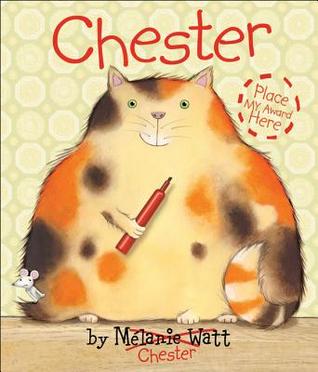
We absolutely loved Chester by Melanie Watt. It was actually the book that prompted us to start checking out the back flap to see who the author and illustrators were. Imagine our thrill when we discovered that there was another book about Chester! We laughed all over again!

Following Papa's Song has pictures of the author's other books on the back flap. When they saw those pictures my girls insisted that I check the library website to see if we could check those books out next.

I used the Goodreads app on my phone to record the books we read and would rate them right away. My kids asked what I was doing and I explained why I gave a book the number of stars I did. More than once, after reading certain books my 2nd grader sighed and said, "Too bad we can't give 6 stars!"

Many times I would come home from the library with dozens of books and was all excited to read them to my kids right then! Sometimes they were in the mood, other times not so much. One thing I discovered, though, was that if I could corral one of my kids (usually my second grader) into letting me read a book to her, soon the others would stop whatever they were doing and join us on the couch. If someone was in a sour mood because life just wasn't fair, it usually took only a couple of pages before they were laughing and joining in on the conversation we had about the book.

At the beginning of December I still had almost 100 books to read. So I started loading up on picture books (I maxed out my library card as well as my daughter's), reading 4-5 at a time to my kindergartener. Sometimes I would read only one and then she would bring another one, and then another one, until we had read all that I had checked out from the library.

Buyer's Remorse

With all of these good experiences we had with reading, why, then, am I wondering about this goal? Several things about the experience have left me wondering if I went about it the right way.

I listen to audio books while jogging and in the car. I often have 5-6 sitting in my iTunes waiting their turn. I found myself choosing audio books that were shorter because I knew I would finish more of them. They were on my to-read list anyway and I already had them ready to sync, but I was prioritizing my reading so that I would finish books sooner and reach my goal, rather by what interested me at the moment.

In December I was in a rush to finish the final 100 books. I would check out books one day, read them, and return them to the library the next day. I believe that, by doing this, I robbed my children of the opportunity to relish books over and over. Earlier in the year I would have library books for days and days. My kids would pick them up several times to look through the pictures again or to read it to themselves. On occasion I was asked to read one more than once. But in the end, I was so rushed to check out new books that they missed out on this opportunity.

I felt rushed in the end. I was reading to meet the goal, not to purely enjoy the books. I (and my children) did enjoy the books we read. We relished them as we read and I was able to find a ton of excellent books, both because of the illustrations and because of the stories as well. There were very few that we rated three stars or less on Goodreads.

Out of the 305 books I was able to read in 2014, less than 50 were for my own personal enjoyment. Again, I read some pretty awesome books (The Ascendence Trilogy, Razorland, Nathaniel Fludd, Beastologist, Maze Runner, Unbroken), but the majority were geared towards my kids. Don't get me wrong, I loved reading to my kids and I loved the quality and range of books we shared. But to reach my goal of 300 books I had to focus more on them rather than me.

2015 Challenge

I think for 2015 my new reading challenge will focus on myself. Rather than make such a high goal that forces me to rush through books, I'll make a smaller goal that allows me time to enjoy each story. I'll choose more adult books as well (Jack Reacher is on my to-read list anyway!). If I pass my goal because of the picture books I enjoy with my kids, then so be it! 60 books sounds about right! And luckily the library is open tomorrow!

Read More »

Saturday, May 10, 2014

Cool and useful website: Goodreads

In a post at the beginning of this school year I mentioned that I have discovered a renewed passion for reading. I'll post later about the results of sharing my passion with students in my school. The purpose of this post is to share the Goodreads website as a way of recording my reading and possibly use it with students in my school.

One of the things I've tried to do the last several years is to record all the books I have read. This was mostly so that I wouldn't accidentally check out the same book. I kept my reading list in an Excel spreadsheet on my laptop. This wasn't always convenient because the spreadsheet was on my computer and not always available when I wanted to add a book I had finished. Or I was at the library browsing shelves and couldn't remember if I had read a particular book. I kept me Want to Read list in my list making app on my iPhone - meaning those two lists were completely separate.

I've seen many people mention Goodreads, and, in fact, used it to get book cover images, summaries, and read reviews. But I didn't bother to create an account. I finally decided to create and account and start exploring so that I could see how to use it in a classroom and compare it with Biblionasium, which I'll review in another post.

Account Creation

Creating an account was extremely easy. I could have used a Facebook, Twitter, Google, or Amazon account, but I chose to create a new account from scratch. It does require an email, which becomes a problem for elementary classroom use as I'll explain later. Once the account was created I could start adding my books.

Shelves

Goodreads includes three shelves by default: read, currently-reading, and to-read. You can add as many custom themed shelves as you would like by clicking the Edit button next to the My Bookshelves section. For example, I read chapter books to my children at night, so I created a shelf named read-to-kids. I also read a lot of picture books to them, so I also made a shelf named picture-books-read. I came across a Twitter conversation about the power in wordless picture books and somehow managed to generate a lost of 20+ wordless picture books that I've started to read to them.

Recording Books

It's extremely easy to add books to any bookshelf. You can search for the book title, click the books icon next to Want to Read, and choose the shelf you want. The green Want to Read icon appears next to any book title at any time, making it very convenient if I'm exploring suggested titles or looking at what others are reading.

I widget appears on my main page listing the books on my Currently Reading list. From there I can update my progress with that book or mark it as read. Selecting the list for all of my books also shows a column where I can easily change books from one shelf to another.

Extras

There is also an iPad/iPhone app with complete functionality. You can add books to your shelves, scan barcodes, make reviews, get recommendations, etc. There are even widgets that can be added to your blog or website so you can show off your reading lists and goals.

Problems with using in classroom

This website has a few problems that might make it difficult to use in an elementary classroom. Sites like this have a 13 year old age restriction. Requiring an email address at account creation is one way of verifying this. In my district students can have district provided email addresses, so they could use that to create their account. A Google for Education might also have email addresses available for student use. This is also a very open site - and there is nothing to prevent students from exploring other areas. Reviews are not moderated and can contain inappropriate language. There is danger from any social media site.

Create a Class group

One way to get around these problems is to create a private group for your class. That group can then be used to host book discussions, share recommendations, and explore different titles. Searching Google or even the Goodreads groups can show you many classrooms, even elementary ones, that successfully use groups. Regardless of what you do, make sure you get parent/guardian permission for your students.

My Goals

My goal with this site is to use it 100% for tracking my reading lists. To do that I will need to transfer all my "have read" and "want to read" lists from my current spreadsheets and apps. I've already got the apps on my iPad and iPhone so now it will be very easy to add my books to my various shelves. I've added my currently-reading shelf to my blog so I can share what I'm reading. I need to figure out a reading goal for this year and set that as well.

Do you have a suggestion for another website that can be used to track and share reading, especially for elementary students? How do you use Goodreads in your classroom?
Read More »