Showing posts with label reading. Show all posts

Saturday, July 2, 2016

Reading log alternatives: a comparison

I never really thought about reading logs until last year when I read a few posts by one of the bloggers I follow, Pernille Ripp (@pernilleripp). She has written a few posts on the subject, pointing out how reading logs actually discourage students from reading. Curious about this whole idea, I searched the topic and found that many other educators feel the same way. They assign reading logs only because they have to or its the way its always been done, not because they actually help students. In fact, a new post just this past month, In the Classroom: The Problem with Reading Logs and What I Did About It, caught my eye and brought this topic to the forefront of my thoughts again.

After reading her thoughts on it and examining my own habits as a parent, I realized that reading logs probably aren't the best way to hold students accountable. I read with my children every night, but I'm really bad about making sure it gets recorded in their log. In fact, I don't pay attention to the time required on the log at all. Last year my first grader was supposed to read 15 minutes a night. Instead, I just had her read a picture book or a beginner's chapter book until she was done, regardless of whether it took 5 minutes or 20. And then I just initialed for the time.

What I think students like better and is more motivating, is simply letting them choose the books they want to read and keeping track in a list. Not recording how many pages or how many minutes (because they always want to know the maximum number they have to read). There are several digital tools that help with this. I've blogged about Biblionasium, Bookopolis, and Goodreads, all websites where students can interact within the community, recording the books they read, sharing recommendations, writing reviews, and reading reviews from their peers.

Deciding which tool to use within your own class can be a tough decision. There are things to like about each one of these platforms, and limitations that make me think twice. I use Goodreads for myself and love it, but I can't use it with my class because of the age restriction. Here's a chart comparing features from all three platforms.

Please let me know in the comments if there is another criteria that I should be using to compare them. Also share any feedback you have on using any of them in the classroom, or suggest one that I haven't discovered yet.

Read More »

Cool and useful website: Bookopolis

Educators know that the more students read the better readers they become. In most classrooms students are asked to read every night. There are many different ways students can record their daily reading. Bookopolis is a website teachers can use to have students record books they are reading and discover new ones. They can see what their classmates are reading, read book reviews by other students, and share what books they are interested in reading.


Setup

Registration is completely free. All users go to the http://www.bookopolis.com website to create their account. Teachers can create an account using their email address or sign in using Google. If they use Google Classroom, Bookopolis will import their Classrooms and student rosters automatically. Student accounts can also be created manually with the teacher creating the username and passwords.

After classes and student accounts have been created, the teacher goes to My Dashboard to manage accounts and see what students are doing. The teacher can click on a student name to see their "world". The world view shows the student's books, badges, and recommend books.

Shelves

To manage books, users click on My World. Students can search for books and add them to one of three shelves: Reading it Now, I Read It, and I Want to Read It. When choose books students can see ratings from other students as well as read reviews. These ratings and reviews are not limited to just students within their class.

Rate and Review

Once a book has been read students can share their rating, leave a review, and recommend it to their friends. Each of the following four screens is available to students. 

It's this socialization and sharing that makes sites like Bookopolis appealing to students and teachers alike. Students can see what their friends are reading and discover new books based on their interests and what they've read in the past. This socialization, sharing, and discovery with peers encourages students to try new books and read more.

Read More »

Friday, November 13, 2015

The story of a girl who became a reader

image from Etsy

My wife and I are avid readers. As a young child I would devour book after book, checking out a dozen at a time from the local library and finishing them within a week or two. My wife has many books at her bedside, ready for her to enjoy. She also tears through audio books on her daily jog and I listen to audio books in the car on the way to work. We have always tried to instill a love of reading in our kids.

My oldest daughter has also turned in to a book fiend. While in high school she would stay up until one or two in the morning on school nights because she could not put a book down. Our way of disciplining her would be to take her books away. My second son is also a voracious reader, easily consuming books in a matter of days. I don't have to worry about late fines from the library because he reads his books too quickly.

But this isn't a story about us. It's a story about my 3rd grade daughter, who struggled to even complete a book. She wanted to be a reader. She checked out books from the school library each week and would come with me to the public library every time I went. Sometimes she would check out picture books, but mostly she would get chapter books with unicorns on the front or fairies or young school girls. She would get started on the first few pages and we would dutifully record her progress on the weekly reading log. But if I wasn't beside her forcing her to read, she wouldn't bother to pick up the book and never finished a single chapter book.

I tried suggesting books that I though were on her reading level. At the library I would show her a shelf she could choose from. At home I would go through our personal library of children's books and select piles of them that I felt she could get through. She never liked my selections, instead getting ones from school, that she would never finish.

As a reader myself, I struggled with helping her read, but didn't know how. I thought if I found the right level and made it easy enough, she would be able to get all the way through. I had her read out loud to me, but that slowed her down and the books she was selecting seemed too hard in terms of vocabulary. Nothing seemed to motivate her to actually finish a chapter book.

Pernille Ripp has suggested that one way to let students become readers is to let them self select their books, regardless of the format (picture, graphic novel, chapter book) or level. It sounded like sound advice to me and I gave my daughter that freedom. However, she still chose books that she wouldn't finish.

Last week we were at the library picking up books I had on hold and finding books for my youngest daughter. As usual I let me third grader choose one for herself. She chose Dr. Nicholas is Ridiculous by Dan Gutman. I had never heard of this series, but, whatever, she could try it out.

  
That night when she was upstairs in our loft reading the book I heard a few giggles and she came down to me and shared what was so funny. I laughed along with her and praised her for reading and enjoying the book. Over the next day or so she kept reading the book, sharing moments that she found hilarious. She even took the book to bed, turned on the nightlight, and read a bit more before going to sleep. And then the miracle happened - she finished the book! She was so proud of herself! Her mom and I were so proud of her! She danced around the house and sang, "I finished my first chapter book!" and at that moment she decided she wanted another book from that series.

The next day we went to the library to return the first book. She wanted only one, afraid that she wouldn't be able to finish it. But I convinced her to take at least two "just in case she finished the first". The experience repeated itself, with her reading out loud to her younger sister each night before they went to bed. In the morning I found the book and this note:


And now she's on the third book she checked out from the series! She has finally succeeded in completing not just one, but two chapter books! I haven't had to coerce or cajole her into reading any of them. The confidence and excitement she achieved through this little accomplishment is amazing!

I know this doesn't mean she's suddenly ready for Where the Fern Grows or any other awesome books, but I can see how proud she is for her accomplishment. I believe that enthusiasm will encourage her to try more and more books. And I am completely content in letting her read through the entire series if that's all she wants.

In addition to Pernille's article above, here are a few other articles that have helped inspire me to not give up on struggling readers. There are many more out there.

Why Reading Sucks
20 Ideas for Creating Passionate Reading Environments Engaging Reluctant Readers

Read More »

Sunday, April 26, 2015

Pay it forward: The Book Whisperer

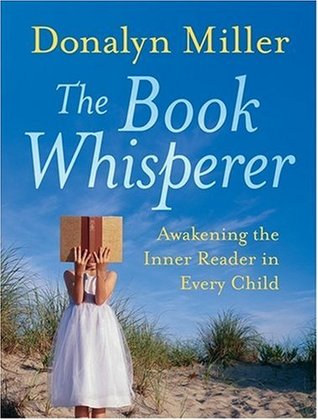
I recently finished reading The Book Whisperer by Donalyn Miller. This is a phenomenal book for anyone who wants to better understand how to help students become life long readers. The book is chock full of practical advice that can be used in any classroom. Many of her philosophies on teaching reading resonated with me. As I work in schools I see many teaching practices that I believe discourage reading instead of encouraging it. I wish more teachers and administrators would read this book.

The message of the book is that in order to create passionate, life-long readers, teachers must create a learning environment that encourages independent reading. This means restructuring literacy instruction so that students have more time to read, not just having students read during D.E.A.R. time. Students should also be allowed to read books that interest them, not just randomly assign books that the teacher feels they need to read.

She also calls out practices that teachers have traditionally done, but that, in reality, discourage reading. Some of these practices are the traditional reading log or whole class novels. She offers some great alternatives to each of these activities that will build strong readers.

One of the favorite points she makes is that the teacher his/herself must be a voracious reader. It's pointless to tell students that they must read when the teacher themselves doesn't read! Plus, it makes it a whole lot easier to have conversations with students when know about the books they are reading. During online classes that I teach, I often ask teachers to share the last book the read for pleasure. I'm always surprised by the number who said they haven't read recently or only name the book they are reading with their class.

Pay It Forward

This book was given to me by a librarian from one of my schools. I loved the book so much that I decided to follow her example and pass the book on to someone else. I wrote a shore message in the front of the book and asked whoever gets the book next to do a few things:

  • After reading it, pass this copy on to someone else.
  • Support good books and purchase your own copy for reference or to mark up.
  • Send me an email or tweet letting me know your thoughts on the content.

I then left the book in the teacher's lounge at one of my schools. The title will catch someone's eye and hopefully they'll pick it up and read it.


Read More »

Tuesday, April 21, 2015

The Rights of the Reader

I'm currently reading Donalyn Miller's The Book Whisperer. This is an awesome book that makes me want to be a reading teacher or librarian! I already love books and everything she talks about resonates with me.

In chapter 4 she mentions The Rights of the Reader by Daneil Pennac. I had not seen this before, but now I think every teacher and librarian (adult!) should have this poster somewhere in their room.

What I love about this book is that Ms. Miller preaches independent reading and allowing students choice in what books they read. Many times my children have come home with assigned reading. Usually the books are of no interest to them or are on a level they don't understand. I think that teachers too often dictate when, where, and what books students can read. And I think that discourages reading instead. This poster reestablishes the rights readers have to choose their own reading material for whatever reason they want.


The version in her book is slightly different. Perhaps it was an earlier draft from Daniel Pennac. I like it better than the one on the poster, so I'm reproducing it here.

THE RIGHTS OF THE READER
by Daniel Pennac (2006)

  1. The right to not read.
  2. The right to skip pages.
  3. The right to not finish.
  4. The right to reread.
  5. The right to read anything.
  6. The right to escapism.
  7. The right to read anywhere.
  8. The right to browse.
  9. The right to read out loud.
  10. The right not to defend your tastes.


Read More »

Tuesday, February 10, 2015

Cool and Useful Website: TTribune

I recently posted about the Newsela website where students can read informational texts. I came across another awesome site produced by the Smithsonian Institute. It's a actually a collection of 4 websites that also has current news articles on varying Lexile levels.

TTribune is a collection of free websites sponsored by the Smithsonian Institute for use by K-12 teachers and students. Teen Tribune (grades 9-12), TweenTribune (grades 5-8), and TTJunior (grades K-4) consist of daily news stories that include text, photos, graphics, and audio/visual materials. Students can leave moderated comments on any of the teacher selected stories or take quizzes for reading comprehension. There's also a Spanish version of the site.

The TTTribune sites are free. Teachers sign up for free at tweentribune.com/join. Teachers manually create student accounts, which includes a username and password.

Setup

Teachers create an account http://tweentribune.com/join. The site will automatically create 9 classes, which can be renamed.

Students are manually added to each class by the teacher and the system assigns a username and password. The username and password can then be edited/changed for each student by the teacher.

Create an Assignment 

From the home page of the site teachers can browse through the articles. When you find an article you want students to read, click the Assign link at the bottom of each article. From the pop-up window select the class(es) you want to assign it to.


Students can also choose to browse through the available articles and select an article they are interested in and comment on it.

Comments do not appear on articles until they have been approved by the teacher. Click the Comments awaiting approval link from the Teacher menu. This screen can also be used to leave feedback to each student.

Each article has an accompanying quiz that can be used to assess student understanding of the article. There is also a Daily Quiz where students might have to search through several articles to find the answer.


Daily Photos give students the opportunity to view news photos and leave a comment. Captions for the photos are hidden until students post a comment, at which time they can edit their comment.

Student View

When students log in, they will be redirected automatically to a page containing links to the stories you assigned, any message you added to assigned stories, instructions you posted via “Create instructions for your students” and feedback you posted on their comments.

Integration Ideas


  • Pick a controversial story and ask students to post a persuasive argument for their opinion.
  • Ask students to find a comment they disagree with, then ask them to post facts that make an effective, opposing argument.
  • Ask every student to blog on a particular story, then use their responses as the basis for classroom discussion.
  • Ask students to post a summary of the day's top stories to demonstrate that they understand.
  • Ask teams of students to present a "newscast" based on the stories they like best.

The site also has a list of great lesson plans and integration ideas. These lessons can be used over and over because the stories are constantly changing and the answers will be different each time.

Download my Tech Integration Challenge for Newsela and see if you are up to the challenge!
Read More »

Cool and Useful Website: ActivelyLearn.com

I recently became aware of ActivelyLearn.com at the Clark County School District Blended Learning Mini-Conference at Valley HS. I attended a session by @chclteteacher and @weberswords who showed how easy the site is to use to practice close reading skills. Two teachers from one of my schools attended the same session and decided they wanted to share the site with the entire school staff. They asked me, their Digital Learning Coach, to demo the site at our upcoming Staff Development Day. So this week I've been learning everything I can about Actively Learn.

ActivelyLearn.com is a website that lets teachers create reading assignments that have stopping points throughout the text. At these stopping points, teachers can embed questions, notes and videos directly to the text. Students must think and write before moving ahead in the text. Teachers can also embed additional content to enrich the text and to connect the text more closely to what students find compelling.

Watch this 2 minute video to get an idea of what ActivelyLearn can do.

Actively Learn is a free website. A Pro version is available with additional features, such as sharing assignments within a school and centralized viewing of student progress within the school. An email address is needed for teacher signup, but not for students.

Setup

Click View Classes to create and manage your classes. You will be given a class code. Students go to http://www.activelylearn.com/signup and enter the class code to create their account. An email address is not required for students.

Create an Assignment

  1. Click Create Assignments, then Add Content. You can search for articles in the Catalog or add your own text through a URL to an article or upload a PDF. Items in the Catalog can be filtered by grade level (Lexile) or category (subject).
  1. Embed your instruction into the text: highlight the text and insert a question, note, or link to image or video. Inserting a question will let you select a standard to assign to that question. Questions can be either short answer or multiple choice. Notes help provide more information to the reader. Notes can be tagged with text elements. Links can take the reader to other sites for more information.


  1. To assign the text to a class by click Create Assignments, then Assign to Classes, and click Next. In the pop up select the class(es) and click Assign.

Student Work

Students begin working on assignments by first selecting a class and choosing the assignment. They can begin reading, taking notes, answering questions, and defining words.

Download my Tech Integration Challenge for Actively Learn and see if you are up to the challenge!

Read More »

Friday, February 6, 2015

2015 Mock Caldecott

One of my favorite activities to do with classes is to connect them with other classes outside of their own school. In the past I've helped classes participate in the Global Read Aloud and Mystery Skypes. This past week I was able to watch two elementary schools Skype together for a Mock Caldecott.

I got the idea of Mock Caldecott last year from some blogs that I follow. I put out a request to my schools to see if anyone wanted to participate. I was lucky enough to have two librarians agree to do it. I had initially hoped to connect them with schools outside of Nevada, but I wasn't able to make those connections, so they agreed to do the Mock Caldecott with each other.

I showed them all the material I had, explained how a Mock Caldecott worked and showed them some book lists that I had seen on the web. Then I got out of their way and let them be librarians!

As the time got closer for our Skype session, I stepped in again to help with the technical side. I made sure both schools had Skype installed and they did a trial run to make sure they could communicate. The day of the Skype I was at Gilbert to help with their side of the session.


Wendy Payer, librarian at Gilbert Elementary, explains how the process worked from her point of view:

We've been studying Caldecott possibilities since the beginning of January. Ms. Streng and I looked on blogs, in publications such as School Library Journal, etc. for those books that had "Caldecott buzz" because of their outstanding illustrations. It took us awhile, but we narrowed it down to 6 books:
  • Flashlight by Lizi Boyd
  • My Teacher is a Monster (No, I am Not) by Peter Brown
  • Bad Bye, Good Bye by Deborah Underwood
  • Gravity by Jason Chin
  • Viva Frida by Yuyi Morales
  • Sam and Dave Dig a Hole by Mac Barnett
To these, I added Emily's Blue Period by Cathleen Daly and Gaston by Kelly diPucchio; I know Ms. Streng added some titles, as well.

I created a critique format for each of grades 3-5 asking students to evaluate how well the illustrator conveyed character and character traits, setting, overall mood, and the students' personal opinion. In addition, each grade had to write a brief response based upon CCSS RL.(3/4/5).7.

I created an anchor chart for the steps I wanted the students to follow for evaluating the books, as well as a reminder of the steps for Visual Thinking Strategies, an arts-integration strategy we use at Gilbert.

The first week, I modeled the process with Emily's Blue Period. In the following weeks, I placed each of the books at a separate table and had the students rotate in small groups to evaluate the books and fill out their critique forms. Since we didn't do this for the 6-7 weeks it would have taken for each group to read each book, I let students choose their books the final week.

The actual Skype session took me by surprise, because I wasn't expecting my first group of third graders to completely clam up. In our debriefing afterwards, they told me they were "freaked out" because the kids at Triggs were strangers, and 5th graders! If I were to do this again, I would match grade levels more closely, at least for their first attempts at Skyping. I also would take another week or two, regardless of when the actual award is announced, so that my students could practice presenting their chosen books. That being said, I think my students learned a lot about how hard it is to communicate remotely; even though it seems like it would be easy, it's not. You have to consider voice level, placement of the computer, how you're going to show the other class the illustrations you're talking about, etc.

I've talked to my principal about this experience, and we're going to try having my classes Skype with her from her office so they can get some experience with the process. Hopefully this will build their familiarity and confidence so that we can all be more successful next time! This is absolutely something I want my students to continue to do.

Teanna Streng, librarian at Triggs Elementary, explains how she prepared for the event:

As a new librarian, I was unsure about taking on the task of participating in a Mock Caldecott.  After the experience, I can say I'm looking forward to making it a tradition at my school!

The first week, I introduced my students to the award, discussed the criteria the judges use to select a winner, read aloud previous Caldecott winners, and allowed students the opportunity to look at a variety of past Caldecott award winning titles.

The second week, I provided my students with a "kid friendly" Caldecott scoring sheet.  I allowed students to work in teams to score and discuss several "Caldecott Contenders."I chose 18 "Caldecott Contenders" by consulting a variety of websites and looking for titles that were featured on multiple lists of books being considered for the award.  We narrowed down the selection of 18 titles, to our top 6 for a school wide vote.

The third week, I reviewed the judging criteria and read aloud 2-3 of the "Caldecott Contenders," from our top 6.  5th grade students worked in teams to create supporting statements for each of the judging criteria for their chosen book.  Students in grades 1-4, wrote an opinion statement on large sheets of butcher paper for their favorite book to win the Caldecott "I like this book because____." or "I think this book should win because____."  I created a Google form with the 6 titles, and students voted for their favorite book on the library computers.

At the end of the week, I chose 4 teams of 5th grade students with the strongest arguments for their books to Skype with students at another school.  During the Skype session, groups took turns making their claims for the books they wanted to win the Caldecott award and asked clarifying questions about the titles being shared.

I calculated the votes, and made an announcement during our school's morning newscast for the official Caldecott Award winners, and the results of our school wide "Best Picture Book" vote.  Our school's top 2 choices (Hug Machine and Baby Bear) did not receive any Caldecott awards, but our 3rd place title "The Adventures of Beekle: The Unimaginary Friend," was awarded the Caldecott, and our 4th place title "Sam and Dave Dig a Hole," was given a Caldecott Honor award.

This activity incorporated a variety of ELA and library standards, including reading award winning literature, understanding character, setting, and events using details from illustrations, forming/writing opinions, and collaborating with others using technology (Google Forms/Skype).

Teachers shared with me how excited the students were when the announcements were made, and the students have been eager to check out all of the titles we've been discussing.  I think it was a great learning experience, and helped the students participate in meaningful conversations about literature across grade levels, and for those who participated in the Skype, across our school district.  I'm already looking forward to next year's Mock Caldecott!  
 I am thrilled that I was able to bring these schools together! I believe that it will be an experience that students will remember. As an avid reader who absolutely loves picture books, it was awesome to see the entire school get into the books and take part in the voting. As a techie nerd who loves global collaboration, it was awesome to see two schools connect and share via Skype!

Could this entire project have been done without Skype? Of course! But sharing makes it more authentic and sharing with another school entirely brings the world just a little bit closer!

I look forward to working with these schools, and hopefully others, next year.

Read More »

Thursday, February 5, 2015

Cool and Useful Website: Newsela


Today's Common Core State Standards emphasize the need for students to be able to read and understand informational text. Finding informational text for the varied reading levels of students can be challenging. Newsela is an awesome website that gives you access to hundreds of leveled news articles that are updated every day. Articles are available for reading levels from 3rd grade up to 12th grade.

Each high interest article is rewritten at four different Lexile reading levels, as well as the original article. Students can take a short quizzes associated with the different Lexile levels to assess their comprehension. If they struggle with the quiz or find it too easy, they can read the story at a lower or higher Lexile level. Because all students are reading the same material, teachers can lead class discussions on the article topics with all students, no matter what their reading level.

Teachers can sign up for a free account. There is a Pro account available with more features. Once signed in, teachers can create classes. Each class comes with a unique code, which students use to create their own account and join the class. No email is necessary for students!

Teachers can browse through the articles and select passages to assign to their students. Teachers can browse articles on the main page or look through the categories across the top of the screen. Teachers can also search by grade level, alignment to CCSS, or available quizzes. Once the teacher finds an article, they click the button to assign it to the class binder.


Student then log in to their account and read the article. If there is an accompanying quiz, they can take the quiz. Teachers can create current events worksheets to assess student comprehension. Here is an example, as well as many other examples on Pinterest.

Students are also able to make their own reading choices, searching for and selecting articles to read that interest them. The progress on these self sections are also available for the student and teacher to see.


As an added bonus, every article and quiz can be printed. This is great for situations where students have limited or no access to the internet. These printed articles could also be shown under a document camera to practice whole grope close reading strategies.

Download my Tech Integration Challenge for Newsela and see if you are up to the challenge!

Read More »

Thursday, January 1, 2015

My Goodreads Reading Challenge confession

I did it! I met my Reading Challenge and read 305 books in 2014!

Back in May I wrote about the Goodreads website for tracking books I've read. Soon after creating my account and writing that post, I discovered that Goodreads had an annual reading challenge. Knowing that I listened to books during my morning jog, read at night, and read many picture books to my kids at bedtime, I set a goal to read 300 books in 2014. I reached that goal, but now I'm wondering if it was a good or accurate goal.

I discovered a lot of positives from having such a high goal. I was constantly on the look out for picture books to read to my kids at bedtime. This goal probably motivated me to read to them more than I would have otherwise. Along the way we made new book friends, discovered authors, illustrators, and characters we loved, and explored a wide range of books. I also made sure to pick up a new book for myself each time I finished one. I rarely went a day or two without some book that I was reading.

The Elephant and Piggy books quickly became our hands down favorite books. When we visited different libraries we were always on the look out for titles we hadn't read yet. We loved looking at the inside cover illustrations to find the pigeon, from the series that introduced us to author Mo Willems. We even discovered the pigeon hiding in other books by Mo Willems.

We did several author studies because of the first book we discovered by an author (Mo Willems, Peter Brown, Amy Krause Rosenthal, David Shannon, Jan Thomas, Melanie Watt, David Wiesner)

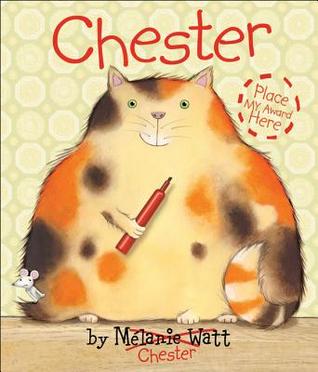
We absolutely loved Chester by Melanie Watt. It was actually the book that prompted us to start checking out the back flap to see who the author and illustrators were. Imagine our thrill when we discovered that there was another book about Chester! We laughed all over again!

Following Papa's Song has pictures of the author's other books on the back flap. When they saw those pictures my girls insisted that I check the library website to see if we could check those books out next.

I used the Goodreads app on my phone to record the books we read and would rate them right away. My kids asked what I was doing and I explained why I gave a book the number of stars I did. More than once, after reading certain books my 2nd grader sighed and said, "Too bad we can't give 6 stars!"

Many times I would come home from the library with dozens of books and was all excited to read them to my kids right then! Sometimes they were in the mood, other times not so much. One thing I discovered, though, was that if I could corral one of my kids (usually my second grader) into letting me read a book to her, soon the others would stop whatever they were doing and join us on the couch. If someone was in a sour mood because life just wasn't fair, it usually took only a couple of pages before they were laughing and joining in on the conversation we had about the book.

At the beginning of December I still had almost 100 books to read. So I started loading up on picture books (I maxed out my library card as well as my daughter's), reading 4-5 at a time to my kindergartener. Sometimes I would read only one and then she would bring another one, and then another one, until we had read all that I had checked out from the library.

Buyer's Remorse

With all of these good experiences we had with reading, why, then, am I wondering about this goal? Several things about the experience have left me wondering if I went about it the right way.

I listen to audio books while jogging and in the car. I often have 5-6 sitting in my iTunes waiting their turn. I found myself choosing audio books that were shorter because I knew I would finish more of them. They were on my to-read list anyway and I already had them ready to sync, but I was prioritizing my reading so that I would finish books sooner and reach my goal, rather by what interested me at the moment.

In December I was in a rush to finish the final 100 books. I would check out books one day, read them, and return them to the library the next day. I believe that, by doing this, I robbed my children of the opportunity to relish books over and over. Earlier in the year I would have library books for days and days. My kids would pick them up several times to look through the pictures again or to read it to themselves. On occasion I was asked to read one more than once. But in the end, I was so rushed to check out new books that they missed out on this opportunity.

I felt rushed in the end. I was reading to meet the goal, not to purely enjoy the books. I (and my children) did enjoy the books we read. We relished them as we read and I was able to find a ton of excellent books, both because of the illustrations and because of the stories as well. There were very few that we rated three stars or less on Goodreads.

Out of the 305 books I was able to read in 2014, less than 50 were for my own personal enjoyment. Again, I read some pretty awesome books (The Ascendence Trilogy, Razorland, Nathaniel Fludd, Beastologist, Maze Runner, Unbroken), but the majority were geared towards my kids. Don't get me wrong, I loved reading to my kids and I loved the quality and range of books we shared. But to reach my goal of 300 books I had to focus more on them rather than me.

2015 Challenge

I think for 2015 my new reading challenge will focus on myself. Rather than make such a high goal that forces me to rush through books, I'll make a smaller goal that allows me time to enjoy each story. I'll choose more adult books as well (Jack Reacher is on my to-read list anyway!). If I pass my goal because of the picture books I enjoy with my kids, then so be it! 60 books sounds about right! And luckily the library is open tomorrow!

Read More »

Wednesday, June 4, 2014

Reflection: My Reading Door

Today was the last day of school with students, so I took down my reading door. It was a nice walk down memory lane, briefly reliving each book as I looked at the cover. My goal with the door was to have book conversations with students, to get them excited about books and sharing what they read. It turned out to be a wonderful experience!
My reading door in August

My office is at the end of the 5th grade hallway, so not many classes passed by it each day. It still elicited many comments and conversations with students and staff alike. There were lots of excited whispers when students walked by and saw I put up World War Z on my Want to Read list. 

The entire fifth grade read Esperanza Rising. When I got my own copy I added it to my Currently Reading list and they just had to tell me about their favorite parts. My school participates in Battle of the Books and I decided I wanted to read those books to see what all the fuss was about. When one of the boys saw all 6 books on my Want to Read list he brought his personal copies of three of the titles so I could read them. I work with a group of nine students to broadcast our morning announcements. Several of those students are avid readers and recommended new series with such passion that I had to add them to my To Read list.

At the end of the school year

I had many wonderful conversations with staff members as well. The teacher across the hall from my office seemed to have similar tastes in books so we chatted often about a series we both enjoyed. I talked her in to finishing a series she had started, she lent me copies of another she thought I'd enjoy. We both talked about our love for certain books and how we couldn't put them down. I had some staff members email book recommendations to me. And of course the school librarian acted as my dealer, constantly feeding and encouraging my reading addiction.

Being public with my reading was a great motivator for me as well. I was excited to add new books to the lists on my door. If I took too long with a book or couldn't find the time, I would get worried that the students would think I wasn't reading anymore. I would make more time to read so I could finish the books!

Was my reading door successful? I would say yes! I was able to finish over 40 books, not counting all the picture books that I read. This was more reading than I've done in a very long time. The only thing I would change would be to move my office to a more central location so more students from different grade levels could be involved with the conversations.

The best thing about this whole experience? My Want to Read list now has over 120 books on it, more than half from recommendations from students, teachers, and my PLN! That should keep me busy this summer!
Read More »

Saturday, May 31, 2014

Cool and useful website: Biblionasium

In an earlier post I wrote about using Goodreads to track books students (and teachers) have read and keep lists of want to read. Biblionaisum is a similar site, but is geared specifically towards classrooms. It has many useful features to help teachers track what students are reading and what books they are interested in. Teachers can set up reading challenges, reading lists, or suggest books to groups of students based on their interest and reading level. Students can use it to find book recommendations and to keep a record of their independent reading.

Setup

Registering and setting up your class is easy to do. Once you've registered for your free account click on the Settings link. You'll see a tab to add groups. You can create classes or groups within your class.  You designate a grade level, a reading system (Lexile, DRA, Reading Recovery), and a few other preferences.

Adding students is just as easy. You can have up to 10 groups and 200 students in each group. Students can be manually entered or use the Bulk Upload Students feature to upload using a prepared Excel or CSV file. I liked this feature because I could download student info from our district SIS and use student ID numbers for username and passwords.

Once students begin to use Biblionasium, going to My Groups allows you to select specific students and see what books they have added to their shelves, reading logs, challenges, and more.

Shelves

Click on My Books lets you see your book shelves. Besides the All Books shelf, where every book you select are listed, there are four other pre-defined shelves: Favorites, Recommended, Required, Classroom Wish List. As you find books you can choose which shelf they should appear on and can add them to multiple shelves. Hovering over book covers shows you basic book information and reviews.


My only gripe with the program is the inability to customize these book shelves. I wish I could create whatever shelf I want - picture books for example, or perhaps shelves based on genre. Students have a Want to Read It shelf and, as a teacher,  I would love to have one too.

Finding books to add to the shelf is extremely easy. Simple click the Search for Books link, type in the book title or author and click Go. You can also search for books by reading level or category. Once you see a list of possible matches you can click on the book to see a summary and student reviews (more on that later). From here you can add it to a book shelf or to the Class Wish List (which parents can use for suggested books to buy for you class.


Reports and Resources

The Reports section allows you to view class or student information. These reports can be viewed on screen or emailed to you.

There is also a sample letter to parents that can be copied and pasted into a word processor to customize.

Student View

When students log in they see a similar layout. From their navigation they can

  • add books to their shelves
  • see what classmates are reading and their shelves,
  • view teacher reading challenges and awards earned
  • log their reading
  • review books they've added to their shelves

When students review books, those reviews show up when another student in the class or the teacher searches for that book. This is an excellent way for students to share reading interests and to also practice their writing skills.

@Biblionasium is a great website for teachers to use to encourage independent reading.  I love that students can see what classmates are reading and read their reviews and recommendations. Recording their reading log is an additional tool teachers can use to make sure students are practicing their reading. My only gripe is the inability to customize shelves, but that's a minor complaint in light of all that teachers and students can do with the site.

Check out the Biblionasium website yourself and let me know what you think in the comments.
Read More »

Monday, May 26, 2014

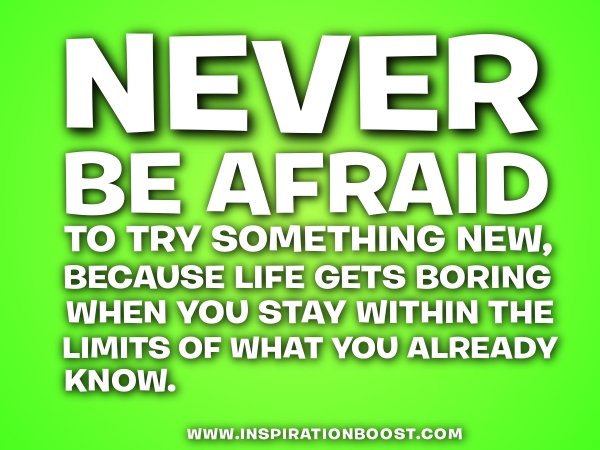
Try something new!

from insprationboost.com
At the beginning of 2014 ago I read a post by Tom Whitby and a subsequent post by Pernille Ripp about setting New Year's Resolutions. Finding something relevant and attainable, finding one thing to focus on rather than several things that might spread you too thin.

Its too far in the year to make a New Year's Resolution (or is it?), but how about making a goal for the next school year? Perhaps a goal to try something new and exciting with your class? Something that can engage them and provide meaningful learning?

Here is a short list of ideas that should be fairly easy to implement. Why not pick one of these and give it a whirl?

Use Edmodo - in our school district Edmodo is available to all classrooms. Enroll your class in Edmodo and use it as a blogging platform for students to collaborate on projects. It can be used in a variety of ways, including assignments, writing, and collaborating. Students can even use it to further their learning outside of school.

Start blogging - students love to write and comment. Give them the opportunity! There are many popular and easy to use platforms for blogging, such as Kidblog.org.  Pick one, create a classroom blog or sign up all your students. Let them write what they are passionate about or give it more structure and assign them thoughtful questions.

Share your reading life - I was inspired to post my personal reading on my office door this year. The result? I had so many book recommendations by students that my to-read list for the summer is over 80 books long! Let your students know what you are currently reading and see where those conversations go.

Global Read Aloud - what if you combined the above idea and connected your students with other classrooms around the world? The Global Read Aloud picks a book to be read aloud to students across the world during a 6 week period and then asks students to connect using technology to discuss the book.

Mystery Skype - it's no secret that I'm a big fan of Mystery Skypes. Give them a try! You won't be sorry!

Evaluate your educational philosophy - it has been a few years since I've been in the classroom, but as I've observed teachers in action, read about different philosophies on blogs, and worked with amazing teachers, I've started to rethink my views on teaching and learning. Make a goal to rethink what you do in the classroom, or how you teach. Reach out to other educators and discuss what really helps students to become lifelong learners.

Try one of these out or share what new thing you are going to try next year.
Read More »

Monday, May 12, 2014

Connect authors and students through Skype

Today the 3rd, 4th, and 5th graders had the exciting privilege to Skype with Fablehaven author Brandon Mull. It was an AMAZING experience! Students have been reading his books all school year and we have several devoted fans. Many students have even purchased a signed copy of his latest book, Five Kingdoms: Skyraiders. Students have been waiting for months for this opportunity to meet a real author.

It's hard to see Mr. Mull on the screen in these pictures, but he was really there - right from his own home in Utah!

The students gathered in the school's MPR where I had set up my laptop and a projector. When I placed the Skype call they giggled at the sound of the phone dialing, and when he answered and his picture appeared in the video feed a cheer went up! They were excited to finally meet the author we have been talking about for weeks!

We had a 3rd grade student, who described himself as Mr. Mull's biggest fan, introduce Mr. Mull to the school. Mr. Mull then talked about some of his books and the inspiration behind them. He described the process he goes through for writing and he gave some hints about current and future writing projects.

He selected 3 students from the audience and played a (virtual) game with them to demonstrate how students can use their own imagination to create their own make believe world for a story. The kids loved that activity.

Prior to the Skype we had students submit questions they had for Mr. Mull. Several students were then selected to ask their question. One of the students, who was obviously a huge fan, practically swooned at the computer as she asked her question. The questions were excellent questions: Which of your novels is your favorite? What is your favorite non-Brandon Mull book? What do you read to your kids?

This was a fantastic experience for all the students. They were engaged, focused, and really excited to meet one of their favorite authors.

Skyping is an excellent way to bring authors right into your classroom to inspire budding readers and writers. If you are interested in Skyping with an author, Kate Messner has created a fantastic resource to connect with other authors who Skype: Authors Who Skype with Classes & Book Clubs (for free!)

Skyping is not limited to just authors. You can bring almost any expert into the classroom. Skype in the Classroom offers resources to help classrooms connect with experts in a variety of fields. Check out their resources on their Guest Speakers website.

What has been your experience with Skyping with authors? If you could Skype with an author, who would it be?
Read More »

Saturday, May 10, 2014

Cool and useful website: Goodreads

In a post at the beginning of this school year I mentioned that I have discovered a renewed passion for reading. I'll post later about the results of sharing my passion with students in my school. The purpose of this post is to share the Goodreads website as a way of recording my reading and possibly use it with students in my school.

One of the things I've tried to do the last several years is to record all the books I have read. This was mostly so that I wouldn't accidentally check out the same book. I kept my reading list in an Excel spreadsheet on my laptop. This wasn't always convenient because the spreadsheet was on my computer and not always available when I wanted to add a book I had finished. Or I was at the library browsing shelves and couldn't remember if I had read a particular book. I kept me Want to Read list in my list making app on my iPhone - meaning those two lists were completely separate.

I've seen many people mention Goodreads, and, in fact, used it to get book cover images, summaries, and read reviews. But I didn't bother to create an account. I finally decided to create and account and start exploring so that I could see how to use it in a classroom and compare it with Biblionasium, which I'll review in another post.

Account Creation

Creating an account was extremely easy. I could have used a Facebook, Twitter, Google, or Amazon account, but I chose to create a new account from scratch. It does require an email, which becomes a problem for elementary classroom use as I'll explain later. Once the account was created I could start adding my books.

Shelves

Goodreads includes three shelves by default: read, currently-reading, and to-read. You can add as many custom themed shelves as you would like by clicking the Edit button next to the My Bookshelves section. For example, I read chapter books to my children at night, so I created a shelf named read-to-kids. I also read a lot of picture books to them, so I also made a shelf named picture-books-read. I came across a Twitter conversation about the power in wordless picture books and somehow managed to generate a lost of 20+ wordless picture books that I've started to read to them.

Recording Books

It's extremely easy to add books to any bookshelf. You can search for the book title, click the books icon next to Want to Read, and choose the shelf you want. The green Want to Read icon appears next to any book title at any time, making it very convenient if I'm exploring suggested titles or looking at what others are reading.

I widget appears on my main page listing the books on my Currently Reading list. From there I can update my progress with that book or mark it as read. Selecting the list for all of my books also shows a column where I can easily change books from one shelf to another.

Extras

There is also an iPad/iPhone app with complete functionality. You can add books to your shelves, scan barcodes, make reviews, get recommendations, etc. There are even widgets that can be added to your blog or website so you can show off your reading lists and goals.

Problems with using in classroom

This website has a few problems that might make it difficult to use in an elementary classroom. Sites like this have a 13 year old age restriction. Requiring an email address at account creation is one way of verifying this. In my district students can have district provided email addresses, so they could use that to create their account. A Google for Education might also have email addresses available for student use. This is also a very open site - and there is nothing to prevent students from exploring other areas. Reviews are not moderated and can contain inappropriate language. There is danger from any social media site.

Create a Class group

One way to get around these problems is to create a private group for your class. That group can then be used to host book discussions, share recommendations, and explore different titles. Searching Google or even the Goodreads groups can show you many classrooms, even elementary ones, that successfully use groups. Regardless of what you do, make sure you get parent/guardian permission for your students.

My Goals

My goal with this site is to use it 100% for tracking my reading lists. To do that I will need to transfer all my "have read" and "want to read" lists from my current spreadsheets and apps. I've already got the apps on my iPad and iPhone so now it will be very easy to add my books to my various shelves. I've added my currently-reading shelf to my blog so I can share what I'm reading. I need to figure out a reading goal for this year and set that as well.

Do you have a suggestion for another website that can be used to track and share reading, especially for elementary students? How do you use Goodreads in your classroom?
Read More »

Monday, April 7, 2014

Check out the books for the Global Read Aloud 2014


I blogged about the Global Read Aloud at the beginning of the school year, here. We had six classes participate here at Triggs ES: Rurtledge, Lucero, and Cervante's second grade classes, and Brock, Harenberg, and Buechler's third grade classes.

The books for the 2014 Global Read Aloud have been selected. This year they have decided not to assign specific books to specific grade levels. Instead, teachers are left to use their own judgement to decide which books to read with their class.

  • The Miraculous Journey of Edward Tulane by Kate DiCamillo
  • The Fourteenth Goldfish by Jennifer L. Holm
  • One for the Murphy's by Lynda Mullaly Hunt
  • The Fault in Our Stars by John Green
Take a moment to sign up for the next Global Read Aloud and check out the FAQ for further information.
Read More »

Wednesday, October 30, 2013

Picture Book Month

November is Picture Book Month! This celebration of good books was started by authors Dianne de Las Casas and Katie Davis. From their FAQ they describe the need for a Picture Book Month:
In this digital age where people are predicting the coming death of print books, picture books (the print kind) need love. And the world needs picture books. There’s nothing like the physical page turn of a beautifully crafted picture book.
Even though I am a a digital cheerleader and spend an inordinate amount of time in front of a screen, I have to agree with that statement. I find it difficult to enjoy a book on my iPad. When I read a book I want to hold it in my hands and enjoy the feel and smell of the pages. I cannot read my newspaper online - I have to sit in my recliner and hold it in my hands. As an avid reader, the thought of an entire month dedicated to celebrating and loving picture books appeals to me!

I have been reading to my children every night before bed for a very long time. I've tried reading novels (and we've loved some really good ones), but I keep coming back to picture books. There's something special about the joy of good pictures and the story that goes along with them. My kids and I learn so much from these books: how to laugh, how to get along, why Mr. Tiger prefers to be wild, why Z stands for moose, how a good bowl of soup tastes so yummy after a night of adventures, and a whole lot more!

One year I made it a goal to read every Caldecott winner with my kids and talk about the pictures. We talked about page layout, use of medium, color, and technique. We talked about how the pictures matched the words on the page or how the illustrator would use perspective to emphasize a part of the text. I'm proud to say that we made it through all of the Caldecott winners at that time!

This past summer is when I learned about Picture Book Month. I immediately decided it was something we had to celebrate at my school. Our morning announcements are done through a video broadcast, so I decided to have picture book commercials.

I enlisted the help of a first grade teacher on this project. She is working with a group of students to create 30 second book commercials. Students will interview teachers, record them talking about their favorite picture book , and edit these commercials down to 30 second clips. The commercials will air each day in November during our morning broadcast. Here is the first commercial we will air on November 1.


Read More »

Thursday, October 10, 2013

My Librarian Told Me to Get Tissues

My school librarian told me I would need tissues also. When I checked out the book, she said I should make sure to have a box of tissues with me too. I chuckled and said sure. I'm not the crying type, but I am an emotional guy. Still, I knew I wouldn't need tissues.

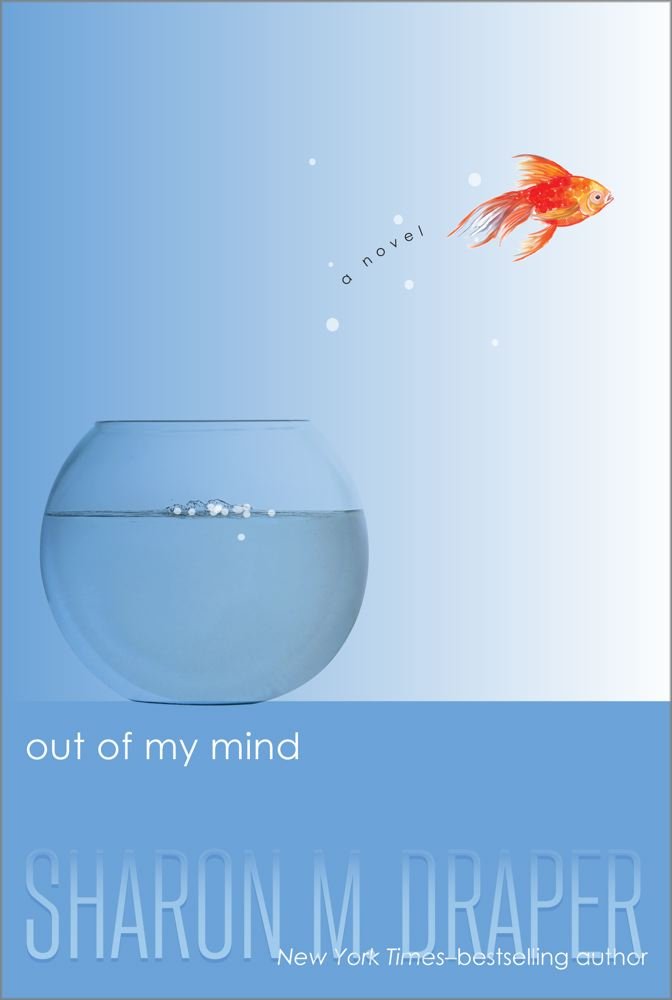
I had been wanting to read Sharon Draper's Out Of My Mind for a long time. I heard wonderful things about it from my Twitter feed. It was going to be part of the 2013 Global Read Aloud, but unfortunately none of my 4th and 5th grade classes were participating so I wouldn't have that opportunity to read it. I had several books on my to read list and didn't know when I would get around to it. But it kept showing up.

One day I wandered into the school library and saw the book on the counter. I picked it up and read a few pages while waiting for the librarian. I was hooked! It was just as good as everyone was saying! So I checked it out and that's when the librarian said I should have tissues too.

I took it home to enjoy as my bedtime reading, expecting to have it for a couple of weeks. I might even have to renew it because I knew I wouldn't find much time at home to read. But I found myself making any kind of excuse to hang out in my room so I could sneak in a chapter or two. Last night I stayed up late for several hours so I could finish it, and I'm glad I did!

I never did cry. But wow! What an emotional roller coaster! I was humbled by Melody's back story and how she felt about her disability and inability to express herself. I was ticked off at the doctors and teachers who treated her like an illiterate baby with no IQ. How dare they not see beyond the physical disability and see inside her for the potential! I almost felt ashamed of my profession!

I was excited when she got teachers and an aide who truly understood her and her potential. I was thrilled that she had a fantastic neighbor like Mrs. V to help foster her love for learning. My heart pounded during her tryout for the quiz team and, of course, during the entire competition. I was angry for the way the team treated her and almost shouted out when she confronted them.

I wonder why I connected so much with this book? Is it because I am an educator too and I believe in the potential of every child? Last year my office was right across the hall from the autistic class made up of 4th and 5th graders. I was always in and out of their room and they always greeted me like a long lost friend. Did that experience give me a certain level of hope, understanding, and compassion for Melody?

It doesn't matter. All that matters is that I really, really, really enjoyed that book! I'm grateful for Twitter for bringing it to my attention, and I'm grateful for a librarian who made sure I was ready to read it!
Read More »